Turn Your Photo Into a Christmas Portrait
Upload a family, couple, or solo photo and get a festive holiday portrait in about a minute — matching pajamas by the tree, a snowy porch card, or a cozy fireplace scene. No photo shoot, no studio booking.
- Keeps faces recognizable
- Family, couple, solo and pet looks
- Ready for cards and social posts
Create Your AI Christmas Photo
Upload one photo, choose a holiday scene, then generate.
Holiday scene
Pick the look for your Christmas photo.
Extra changes (optional)
Describe outfits, colors, or details you want. The scene above is applied automatically.
Transform the uploaded photo into a photorealistic, professionally shot Christmas portrait. Use the uploaded photo as the identity reference. Keep every person's face, facial features, skin tone, hairstyle, age, and body proportions recognizable and natural. Do not add, remove, or swap people, and do not change anyone's ethnicity or age. Keep any pets from the photo with their real markings. Use warm, flattering holiday lighting, natural skin texture, and a polished composition suitable for a Christmas card. Dress everyone in matching red and green plaid Christmas pajamas, seated together on a soft rug in front of a decorated Christmas tree with warm string lights and wrapped gifts in a cozy living room.
Christmas Photo Ideas You Can Try
Each scene is a tested preset. Pick one, upload your photo, and adjust anything you like.
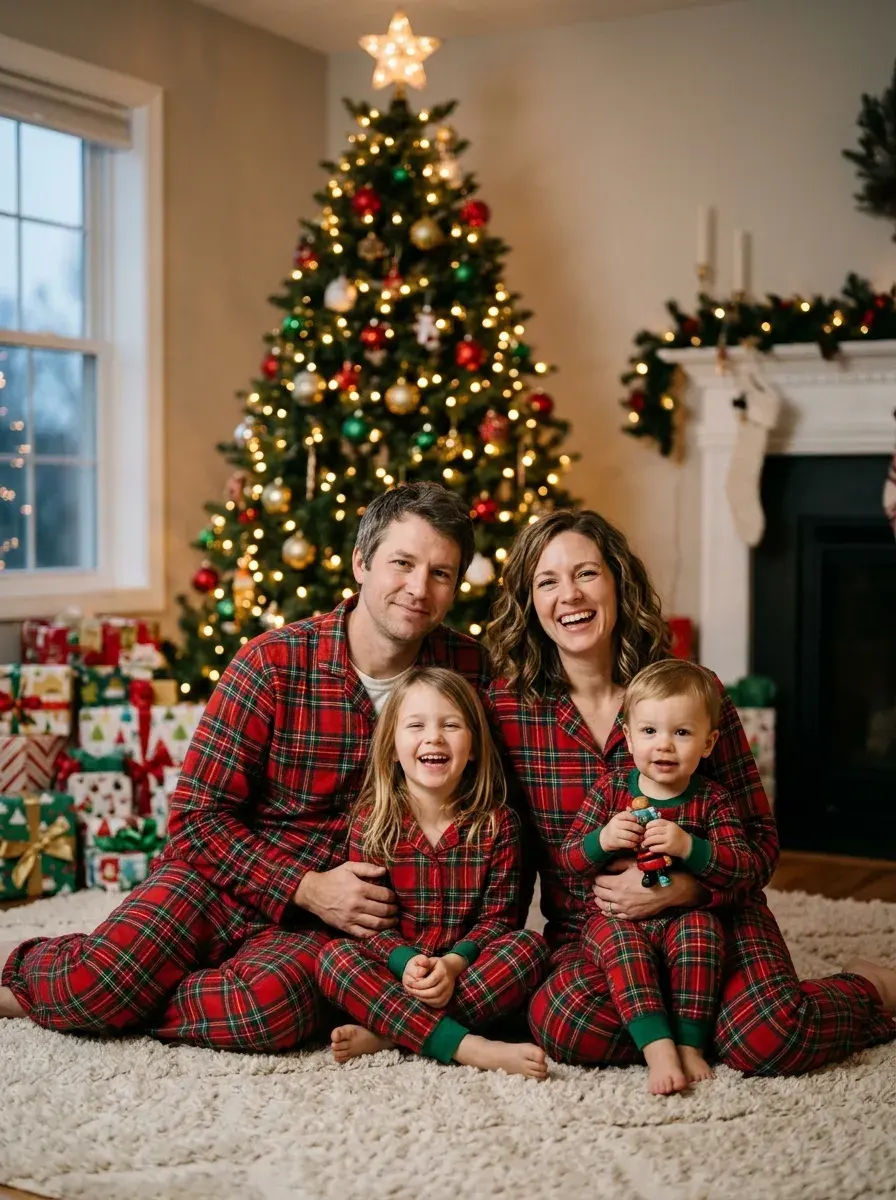
Everyone in matching plaid pajamas in front of a glowing tree and wrapped gifts.
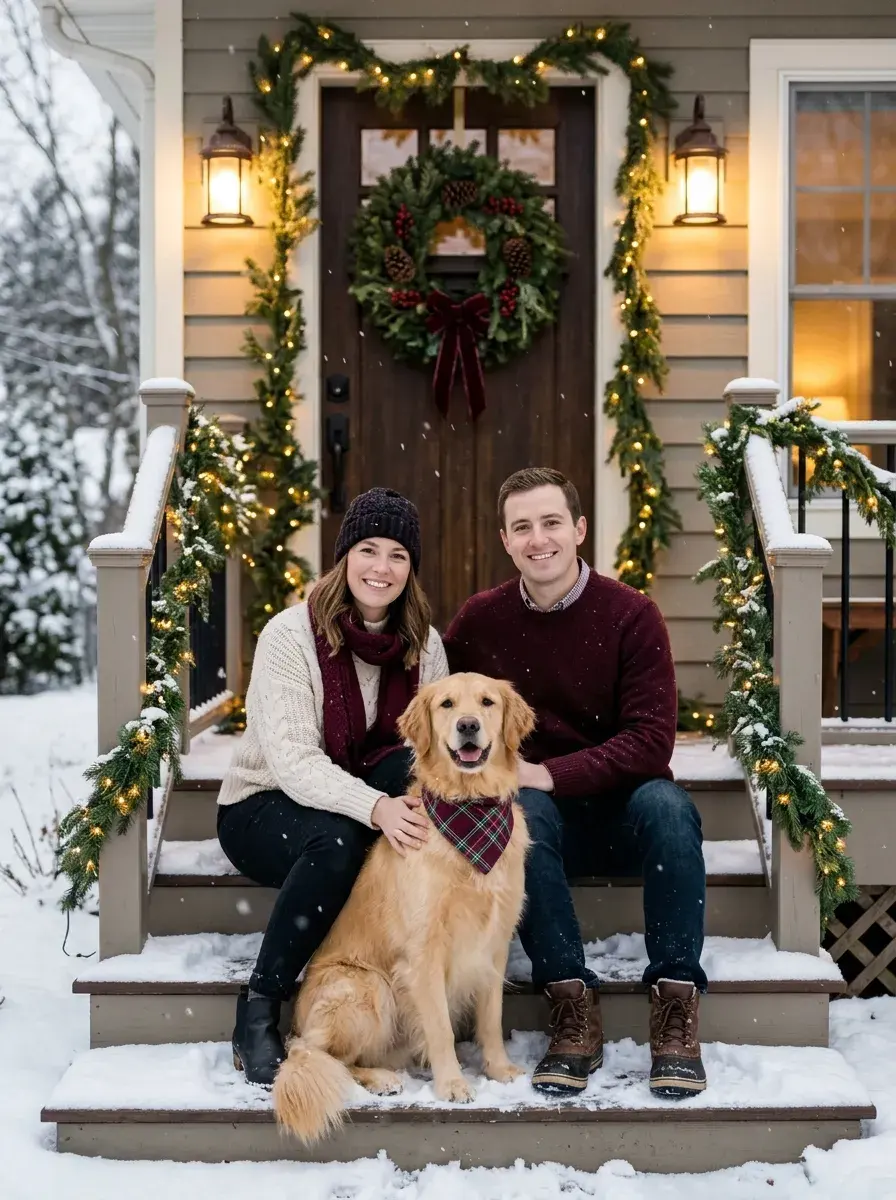
A classic holiday card on a snowy front porch with a wreath, garland and lanterns.
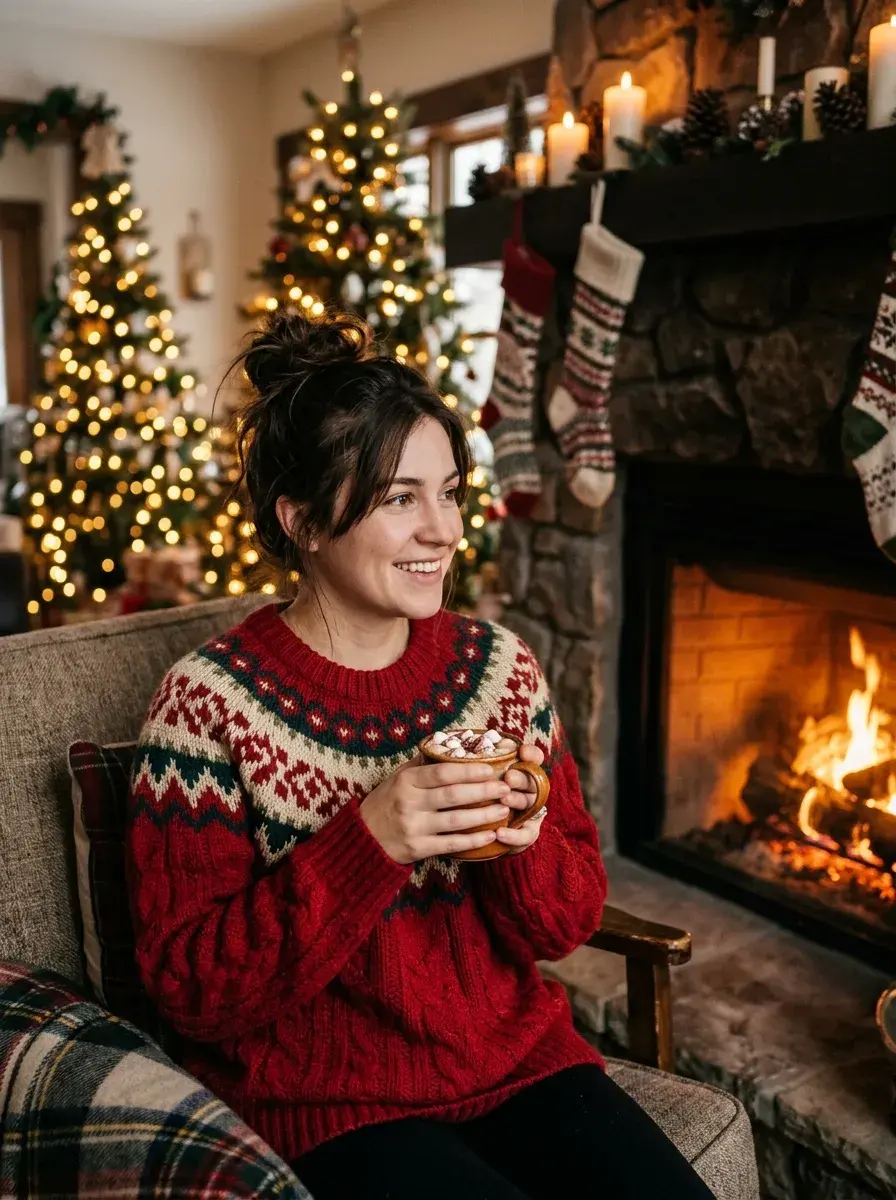
Chunky Christmas sweaters, hot cocoa and stockings by a warm fireplace.
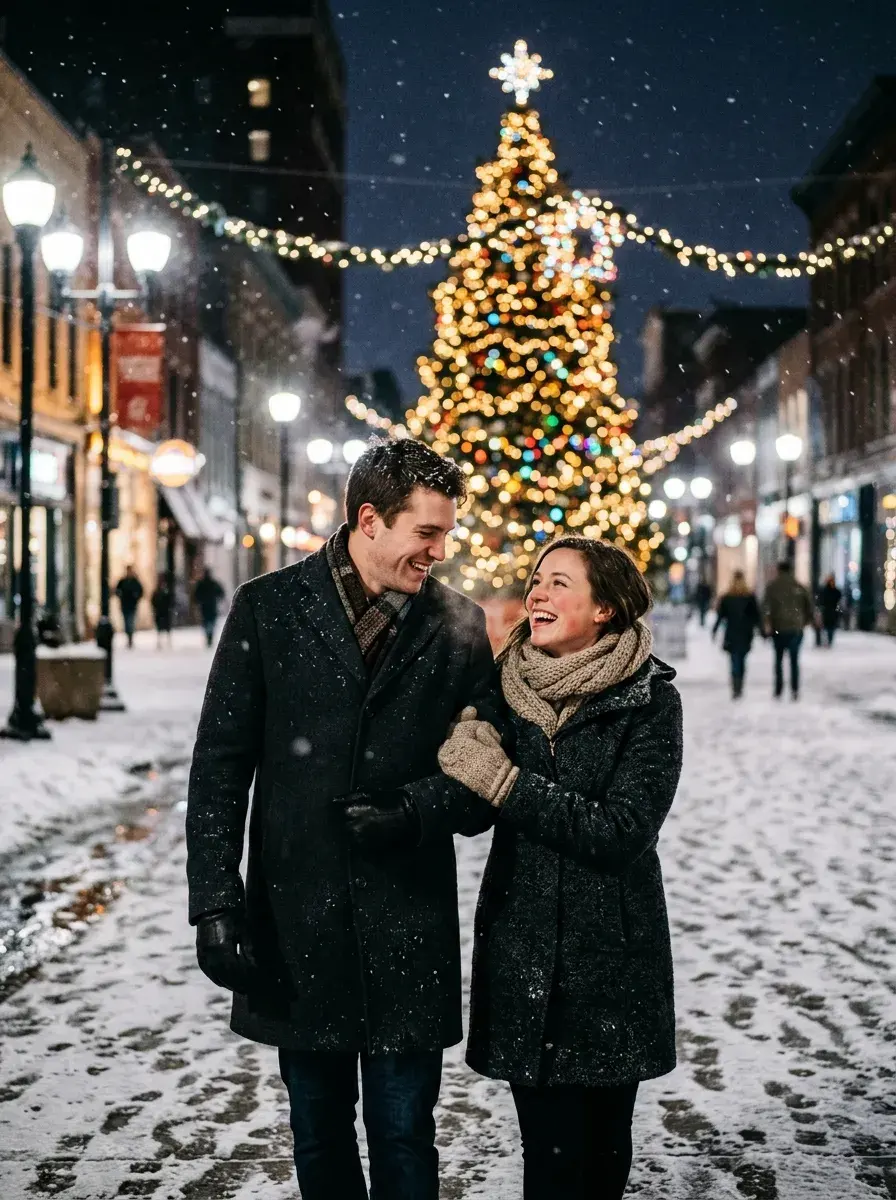
Winter coats and falling snow under glowing street lights and a big Christmas tree.

A glamorous red studio portrait with velvet, gold ornaments and pine branches.
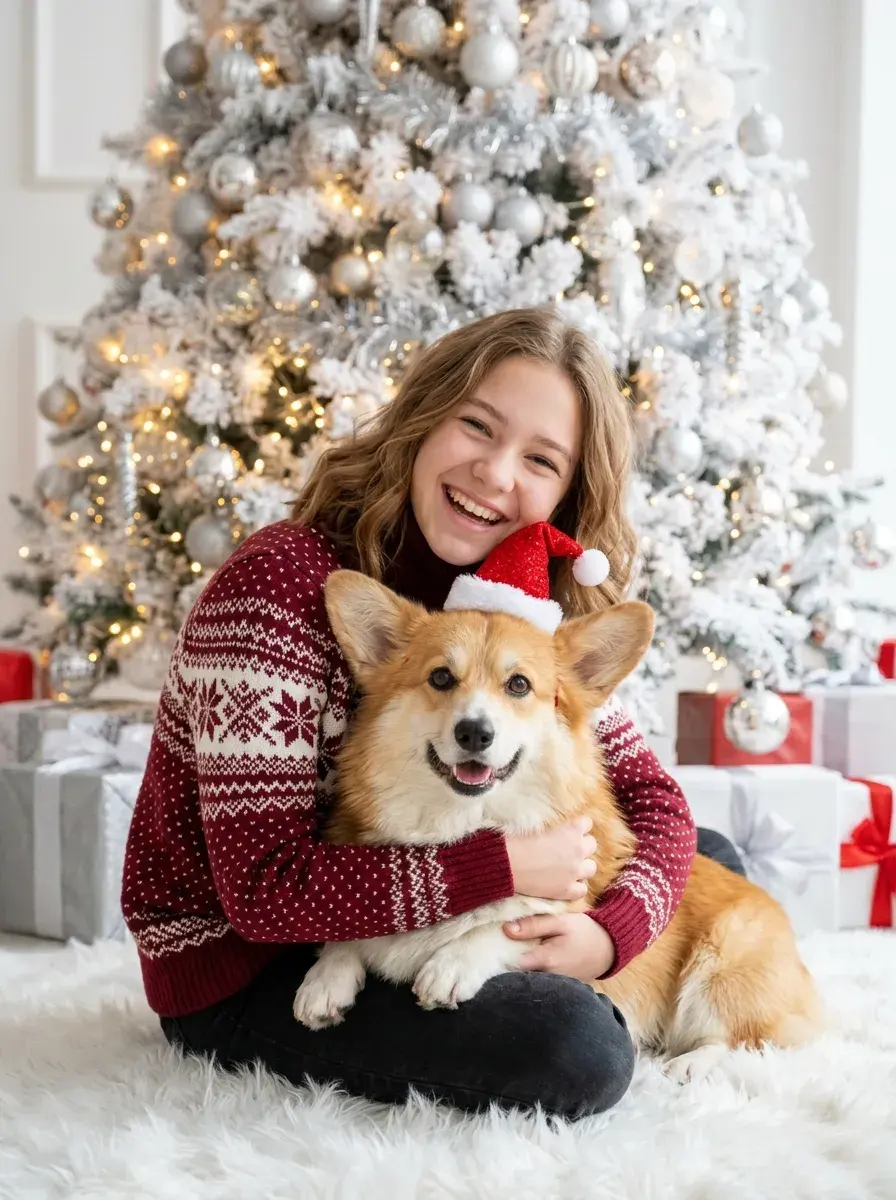
Bright white-tree setting with Santa hats — perfect if your dog or cat is in the photo.
Holiday Pack: $9.90 for about 10 images
One-time purchase. No subscription, no auto-renewal. Credits work for every look on Magggic and last 12 months.
40 credits — $9.90
- About 10 standard images, or fewer at 2K/4K
- Failed images are refunded automatically
- Valid for 12 months
What People Make With It
One photo, many holiday uses.
Christmas cards
A polished family card photo without booking a photographer or getting everyone dressed up.
Social posts and profile pictures
A festive portrait for Instagram, Facebook, or your December profile picture.
Long-distance families
Upload a photo of everyone together and get a holiday scene even if you can’t meet this year.
Pet holiday portraits
Put your dog or cat in a Santa hat next to the tree — no wrestling them into costume.
Three Steps, About a Minute
- 01
Upload a clear photo
Choose a well-lit photo where everyone faces the camera. Phone photos work well.
- 02
Pick a look
Select a preset scene, or describe extra changes such as outfit colors, background, or mood.
- 03
Generate and download
Your image is ready in about a minute. Download it, generate another version, or try a different look.
Tips for Better Christmas Photos
Use one group photo
Upload a single photo with everyone in it. The image keeps the same people — it won’t add family members who aren’t in the photo.
Faces should be visible
Front-facing, well-lit faces without sunglasses give the most recognizable results.
Describe outfits in your own words
Add details like “red sweaters for the kids, plaid for the parents” in the changes box.
Try two or three scenes
Different scenes suit different photos. Generate a couple of looks and keep your favorite.
Frequently Asked Questions
Will the Christmas photo still look like us?
The generator uses your uploaded photo as the identity reference and is instructed to keep faces, hairstyles, and proportions recognizable. Clear, front-facing photos give the best likeness; if a result is off, generate again or try another scene.
Can I make a family Christmas photo with several people?
Yes. Upload one photo with everyone in it — family, couple, or friends — and choose a scene. Everyone in the photo is kept, and nobody is added or removed.
Can I include my dog or cat?
Yes. If your pet is in the uploaded photo it stays in the scene with its real markings. The “Pets & Santa Hats” scene is designed for this.
Can I use the photos for printed Christmas cards?
Yes. You can download your images and use them for cards and social posts. For larger prints, choose 2K or 4K resolution before generating.
Is it free to try?
New accounts receive free starter credits, enough to try a few images at standard resolution. After that, the Holiday Pack is $9.90 for 40 credits (about 10 standard images) — a one-time purchase with no subscription. Failed generations are refunded automatically.
What happens to the photo I upload?
Your photo is only used to create your images. Generated images stay private in your account unless you choose to publish them, and you can delete them at any time.
Make This Year’s Christmas Photo in a Minute
Upload a photo, choose a holiday scene, and download a portrait ready for cards and posts.